Module 1 · Brand Strategy: Think Before You Draw
Record your answers (~30 minutes of talking)
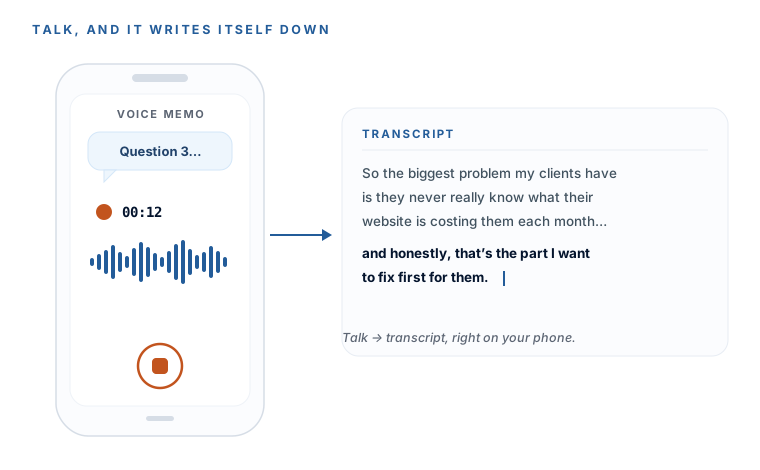
This lesson has a real deliverable: by the end of it you’ll have a saved transcript — the typed-out text of all 15 answers — ready to paste into AI in the next lesson. And here’s the best part: the tool that does it is already in your pocket. Your phone transcribes for free, on-device, no app to install.
The plan: talk for 30 minutes, walk away with text
You’re going to record yourself answering the 15 questions, and your phone will turn that recording into text automatically. Three paths below — pick the one that matches your phone. Path A for iPhone, Path B for Android, Path C if you’d rather let ChatGPT do it. Have the questionnaire from the last lesson open in front of you.
| Path | Best for | Tool | What you walk away with |
|---|---|---|---|
| A | iPhone (12+, iOS 18+) | Voice Memos (built in) | A saved transcript file you keep |
| B | Android | Google Recorder | A live transcript file you keep |
| C | Any phone or computer | ChatGPT dictation | Your answers typed straight into the chat |
Path A — iPhone (Voice Memos, built in)
The recommended path if you’re on an iPhone 12 or newer with iOS 18 or later. Free, offline, nothing to install:
- Open the Voice Memos app (it comes pre-installed — search “Voice Memos” if you can’t spot it).
- Tap the red record button and answer all 15 questions in one take. Pause between answers if you like — it’s still one file. Remember to say the question number first.
- Tap stop when you’re done. The recording saves itself automatically.
- Tap your new recording in the list, then tap the … (three dots) button.
- Tap View Transcript — the full text appears.
- Tap the … again → Copy Transcript (or just select all the text). That’s your transcript — you’ll paste it into AI next lesson.
If your iPhone can’t show a transcript (older model or iOS), no problem — skip to Path C, which works on any device.
Path B — Android (Google Recorder)
Google Recorder transcribes live as you speak — the strongest built-in option on Android:
- Open Recorder (pre-installed on Pixel; on other Androids, install “Recorder by Google” free from the Play Store).
- Tap Record and answer all 15 questions. Watch the transcript scroll live under the Transcript tab as you talk.
- Tap Save when finished.
- Open the saved recording → Transcript tab → Share / copy the text. That’s your transcript.
Path C — Any phone or computer (ChatGPT dictation)
The universal fallback. Live dictation is free in ChatGPT — you speak, it types — and it merges recording and the next lesson’s synthesis into one app, which some people find simplest:
- Open the ChatGPT app (or chatgpt.com) and start a new chat.
- Paste in the synthesis prompt from the next lesson as your first message — but don’t send it yet.
- Tap the microphone / dictation icon in the message box (the waveform icon — that’s dictation, which types your words; not the separate voice-conversation mode).
- Read and answer the 15 questions out loud; your speech appears as text. Tap the icon again to pause between answers.
- When you’re finished, review and lightly tidy the text, then send. The prompt and your dictated answers go in together, and your strategy doc comes straight back.
Path C limits a single dictation to shorter bursts, so tap the mic on and off per answer rather than talking for 30 unbroken minutes. Paths A and B give you a clean transcript file you keep — Path C keeps everything in one window.
Don’t try to be polished. Ramble, backtrack, go on tangents, repeat yourself. The AI tidies all of that up in the next step, and the extra detail only makes your strategy doc richer. The one thing that does matter: say the question number before each answer, so the transcript stays in order.
Paths A and B run on your phone — nothing is uploaded to transcribe it. If that matters to you, prefer them over any cloud tool.
You have a transcript — the full text of your 15 answers — copied and ready. That’s the raw material for your entire brand. Next lesson, one prompt turns it into a proper strategy document.
More learning resources
Still want another angle? These are hand-picked and vetted to line up with this lesson — from creators and sites worth your time.