
Module 4 · Colors You Can Defend
Recolor your logo by hex
Your logo is still wearing whatever colours it was born in. This lesson dresses it in your real palette — close enough that you never need to open an editor. One upload, one prompt, done.
Recolour by hex
Open the chat, upload your final logo, and paste this — filling in which element becomes which hex from your locked palette:
Upload your logo, then copy this in
Here is my logo. Recolor it using exactly these colors: [element] → [#hex], [background/other element] → [#hex]. Keep the shapes, text, and composition identical — only change the colors. Transparent background.
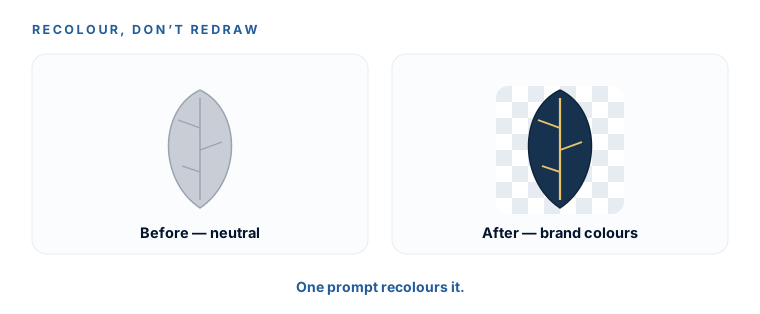
It regenerates your mark in the new colours. For most small businesses this lands exactly where the brief promises: close enough that no editor is needed.
Two honest caveats
This step is genuinely easy, but two things are worth knowing so you’re not caught out:
1. It regenerates — it doesn’t pixel-recolour
The AI redraws your logo, so shapes or text can drift a little between versions. Three fixes, in order: say “keep shapes and text identical, change only the colours”; regenerate a couple of times and keep the truest one; and do this in the same chat where you made the logo, so it has the original in view.
2. The rendered colour won’t be pixel-exact
Same rule as always — the painted pixels are approximate. Your brand book records the intended Coolors hexes, and those stay the source of truth. If you ever genuinely need an exact recolour (a print job with tight brand rules), that lives in the SVG: in Kittl or any vector editor you can set fill colours precisely. That’s an aside, not a step — you almost certainly won’t need it.
If the recoloured version drifted enough that you re-picked it, just re-run the Module 3 background-removal and SVG conversion on this new version. Five minutes — you already know the clicks. Then the recoloured logo replaces the old one in your Brand Package folder.
A version of your logo in your real brand colours, on a transparent background, that you’re happy to use everywhere. Shapes intact, colours on-brand, zero editor opened. Drop it in 01-Logo alongside the others.