
Module 5 · Fonts That Look Chosen, Not Defaulted
Ask AI: "suggest 5 pairings for my brand"
Now bring in the advisor. AI is great at suggesting pairings tuned to yourbrand — and occasionally great at confidently naming a font that doesn’t exist. So we do both halves: ask well, then verify ruthlessly.
The pairing prompt
Feed it your brand: the strategy-doc summary, your palette hexes, and — if the model can see images — your logo. Then ask for five pairings with reasons. This prompt is built to reduce made-up fonts (note the “if unsure, don’t list it” rule):
Copy this into ChatGPT / Claude / Gemini
You are a brand typographer. Recommend font pairings for my brand.

MY BRAND (from my strategy doc):
- What we do: [one line]
- Who it's for: [target audience]
- Brand personality / vibe: [e.g. warm, trustworthy, modern, premium — 3–5 words]
- Brand colors (hex): [#______, #______]
- Logo: [attach the image, OR describe it: e.g. "clean geometric wordmark"]

TASK:
Give me exactly 5 heading + body font PAIRINGS.

HARD RULES:
- Every font MUST be a free Google Font available right now at fonts.google.com.
  Do NOT suggest Adobe Fonts, premium fonts, system fonts, or anything not on
  Google Fonts. If you are not 100% sure a font is on Google Fonts, do not list it.
- Pair a HEADING font with a BODY font that is highly readable at small sizes.
- Aim for clear contrast between the two (e.g. serif heading + sans body, or a
  distinctive display heading + a neutral workhorse body).

FOR EACH PAIRING, give me:
1. Heading font (exact Google Fonts name) + recommended weight
2. Body font (exact Google Fonts name) + recommended weight
3. One sentence: why this fits MY brand's vibe and audience specifically
   (not generic praise).

Rank them 1–5 from safest/most on-brand to boldest. Be honest, not flattering.
You’ll get five pairings, ranked, each with exact names, weights, and a reason grounded in your actual brand rather than generic praise.
The verification gate: the AI suggests, Google Fonts decides
This is the most important habit in the module, so it gets its own box. AI models sometimes name a font that was renamed, retired, or never on Google Fonts at all. You catch every one of those in two seconds:
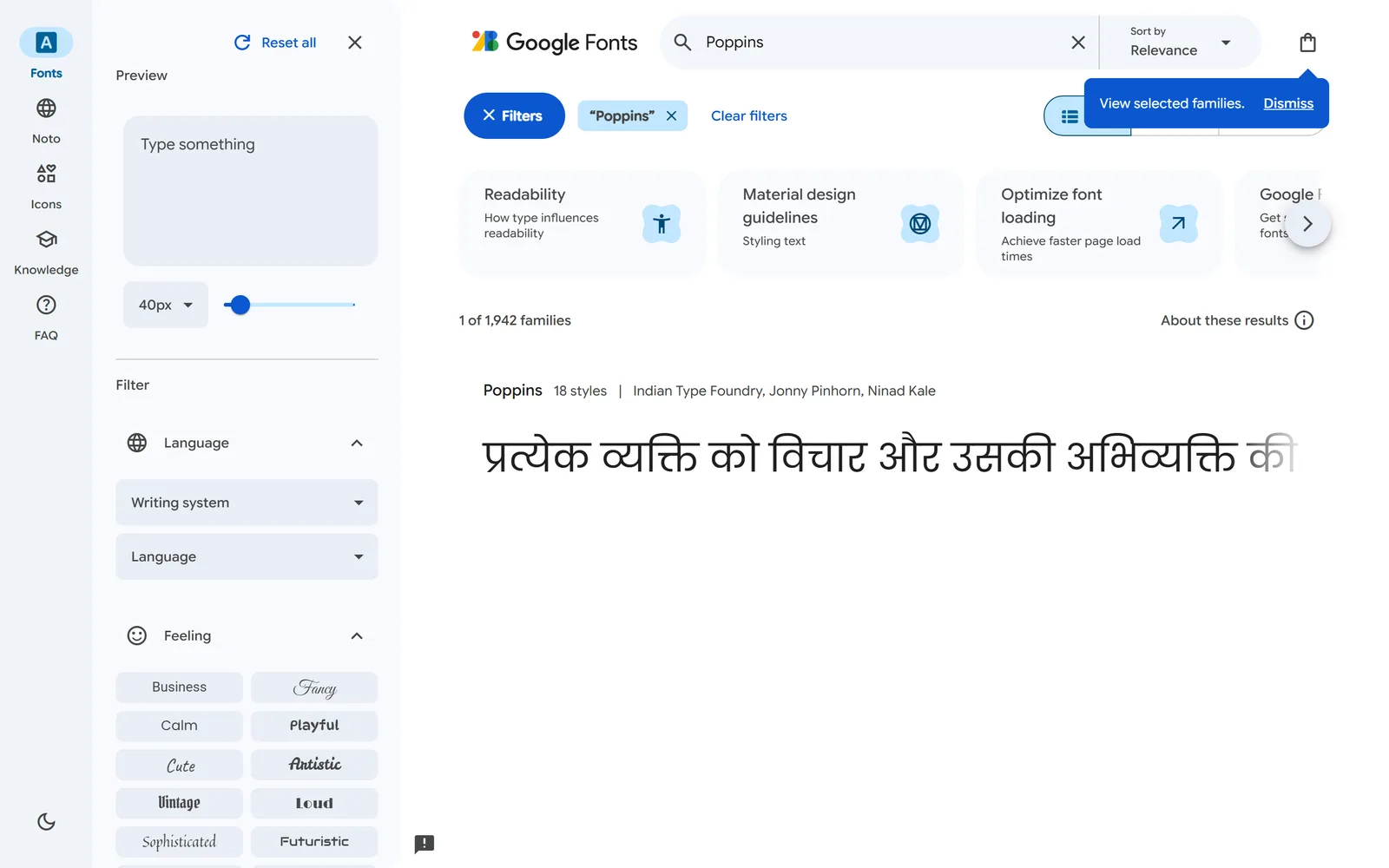
For every font the AI names, go to fonts.google.comand search the exact name:
- It appears as a real font family you can open and preview → keep it.
- No match → the AI invented or misremembered it. Discard it, or ask the AI for a fix (below).
Only pairings where both fonts pass the search earn a spot on your shortlist. Two seconds per font saves you from choosing a font you can never actually download or use on your site.
When a font fails the search, don’t just delete it — ask for a live replacement:
If a font isn't on Google Fonts
[Font X] isn't on Google Fonts — give me the closest free Google Fonts alternative and confirm it's live on fonts.google.com.
Cross-check against your shuffle shortlist
Now line the AI’s verified picks up against the 3–4 pairings you gathered last lesson. Any overlap is a strong signal — if a human-curated tool and an AI briefed on your brand both landed on the same pairing, that’s a confident finalist. Carry two or three finalists into the final test.
A tightened shortlist — two or three pairings, every single font confirmed live on Google Fonts, and at least one backed by both the shuffle tools and the AI. No invented fonts, no dead ends. One lesson left: pick the winner.