
Module 7 · The Brand Book & Your Finished Package
Build your brand book (both of them)
Deep breath — because this lesson is easier than it sounds. A brand book feels like the intimidating, professional-designer part. It isn’t. By now you’ve already made every single thing that goes in it: your logo, your colors and hexes, your fonts, and the voice notes buried in your strategy doc. This lesson is assembly, not creation. You’re just putting what you own into two tidy containers.
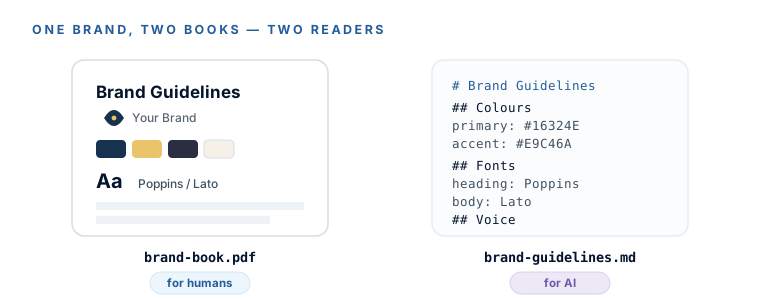
You’re going to build two versions of the same brand book, because they do two different jobs:
- A pretty PDF — the human-facing one. Hand it to a designer, a printer, or a helper and say “stick to this.”
- An AI-pasteable
brand-guidelines.md— a plain-text file you drop into any AI so it builds on-brand. This one is arguably the more valuable file in the whole course, and we’ll explain why.
The 7 sections (same for both)
Both files hold the same seven sections. Every one is a direct paste from something you already made — no new decisions:
- Cover / brand at a glance — business name, logo, one-line promise (from your strategy doc’s quick reference).
- Logo & usage — the primary logo plus your derivatives (social avatar, favicon mark), and a short do/don’t row.
- Color palette — each color as a swatch with its hex, its role (primary / accent / neutral), and a one-line rationale.
- Typography — heading font and body font (names + Google Fonts links), with a sample “Aa” and a line of real copy.
- Voice & tone — your 5 brand words, “we sound like” / “we don’t sound like,” a couple of example phrasings.
- Imagery note (optional, one line) — the look of your photos and graphics.
- How to use this — the handoff note: “give this to any designer or AI and say stick to these.”
Artifact 1 — the pretty PDF (free Canva template)
- Go to
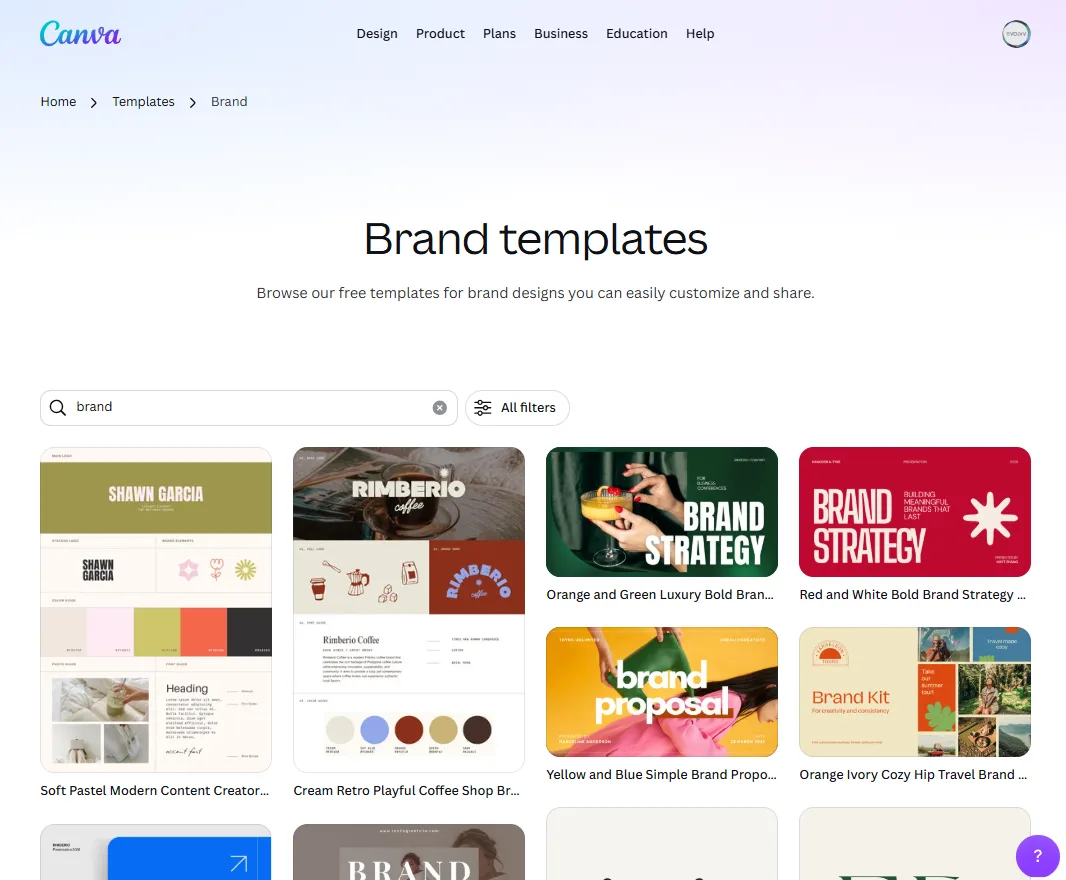
canva.com, sign in free, and search “Brand Guidelines.” Open a minimal, mostly-free template — avoid ones plastered with Pro-crown elements. (Template hub:canva.com/templates/s/brand/.) - Cover page: add your business name and drag your transparent-PNG logo in via Uploads. Add the one-line tagline from your strategy doc.
- Logo section: place the primary logo and your derivatives (avatar square, favicon mark). Add a simple do / don’t row — don’t stretch, don’t recolor, don’t add effects, keep clear space around it.
- Color section: add a swatch per palette color; under each, type the hex and its role. Canva’s free color tool takes hex codes directly.
- Typography section: show your heading and body fonts with a sample “Aa” and one line of real copy; list the font names plus the Google Fonts link.
- Voice & tone: paste the condensed voice notes from your strategy doc — the personality words and the sound-like / don’t-sound-like lines.
- Export: Share → Download → PDF (Standard is free). Save it as
brand-book.pdfin your Brand Package folder.
Canva has two things with the word “brand” on them, and mixing them up is the single most common snag:
- Canva “Brand Kit” / “Brand System” is a Pro feature that stores your logo and colors to auto-apply them. On free it’s capped hard — you can’t even upload a logo to it. You do not need this.
- Canva “Brand Guidelines” template is a free document you type into and export as a PDF. This is the one you want.
So the brand book itself is 100% free. The only Pro nags are individual premium stock elements inside some templates — pick a template whose elements are free, or delete and replace anything wearing a Pro crown.
Artifact 2 — the AI-pasteable brand file (the secret weapon)
Now the file that makes this whole course pay off later. Open ChatGPT or Claude, upload your logo, and paste this prompt — filling the brackets with your real assets:
Paste into ChatGPT or Claude
You are a brand strategist. Compile a clean, structured brand guidelines document in Markdown for my business, using ONLY the assets I give you — do not invent colors, fonts, or details I didn't provide. Here is my brand strategy summary: [paste the quick-reference section of your strategy doc]. My colors are: Primary #XXXXXX, Accent #XXXXXX, Neutrals #XXXXXX / #XXXXXX. My fonts are: Headings = [Google Font], Body = [Google Font]. My voice in three words is: [x, y, z]. Output sections in this order: Brand overview, Voice & tone (with 3 do's and 3 don'ts), Logo usage rules, Color palette (hex + role for each), Typography (font names + where each is used), and a one-paragraph 'How to use this file' note telling any future AI to follow these rules. Keep it under ~600 words and copy-paste ready.
Save the output as brand-guidelines.md in your Brand Package folder. Two things before you do:
- Verify, don’t trust. Re-read the hexes and font names — models occasionally add a color or swap a font. It must contain only what you actually chose.
- Why plain text beats a pretty PDF here. AI tools read markdown straight into context; a PDF they can’t reliably parse. This is the file you’ll paste into every future AI and say “follow this brand file.”
Don’t try to make one file serve both audiences. A pretty PDF is bad AI context, and raw markdown is unimpressive to hand a human. Same seven sections, two audiences, two files — and they’re cheap to make as a pair because they share the same source assets. The markdown one is genuinely cutting-edge: abrand.md standard is forming around exactly this idea.
Grab the checklist and the generation prompt as a single download:
DownloadTwo brand books, both files dropped into 05-Brand-Book in your folder: brand-book.pdffor humans and brand-guidelines.md for AI. Every input already existed — you just assembled it. Next, we put the whole package under a tough, honest review.
Watch this step
One clip per artifact: the first builds the pretty brand book in a free Canva template, and the second shows the AI-prompt-to-guidelines flow behind your brand-guidelines.md. It’s from an independent creator — credited below, so go give them a follow.
How to Create a BRAND KIT + GUIDELINES for Your Business | Canva Tutorial 2025
How I Build Brands In Minutes With ChatGPT (Mood Board Method)
More learning resources
Still want another angle? These are hand-picked and vetted to line up with this lesson — from creators and sites worth your time.