Module 2 · Your Logo, Part 1: Find "The One"
The 60-concept opening move
A design studio hands you three logo concepts after two weeks. You’re about to scan forty to sixty directions in a few minutes — like flipping through a stack of rough sketchbooks instead of waiting for someone else’s three ideas. This is the opening move, and it’s pure exploration. Nothing you make here is final. That’s the point.
Start a fresh chat
Go to chatgpt.com and start a new chat. Fresh matters — a new chat stops old conversation from bleeding into your logo. You don’t need to pick a model; ChatGPT reaches for its image tool the moment you ask for an image.
- Open
chatgpt.comand click New chat. - First, hand it your brand context — paste the quick-reference section (or the three adjectives from Q13) straight from your strategy doc, so every concept is grounded in your brand, not a generic one.
- Then paste the opening prompt below.
The opening prompt (paste this exactly)
Fill in the brackets with your own details — the rest is engineered to give you clean, scannable, sticker-rule-friendly concepts:
Copy this into ChatGPT
I run [BUSINESS] — a [ONE-LINE DESCRIPTION] for [TARGET AUDIENCE].
The feeling I want the brand to give is [3 ADJECTIVES, e.g. warm, trustworthy, modern].

Create ONE image that is a clean grid of 9 SEPARATE, DISTINCT logo concepts
for this business. Rules for every concept:
- flat, simple, modern vector-style logo marks — NOT photos, NOT 3D, NOT mockups
- solid plain white background, generous space around each mark
- each concept a genuinely different idea (different symbol, layout, or style)
- if you include the business name, spell it EXACTLY: "[BUSINESS NAME]"
Number them 1–9.
Why nine, not twenty
You may have heard “ask for 20 concepts per image.” Don’t. Cram twenty marks into one image and they come out tiny, muddy, and impossible to judge — and any text turns to mush. Nine clean concepts beats twenty muddy ones. To reach your forty-to-sixty directions, just run the prompt again:
Run this a few times
Give me another 9, all completely different from the last set.
Two to four rounds and you’ve got a proper spread of directions to browse. Keep the mindset loose: you’re scanning for a direction that feels right, not hunting for a finished logo.
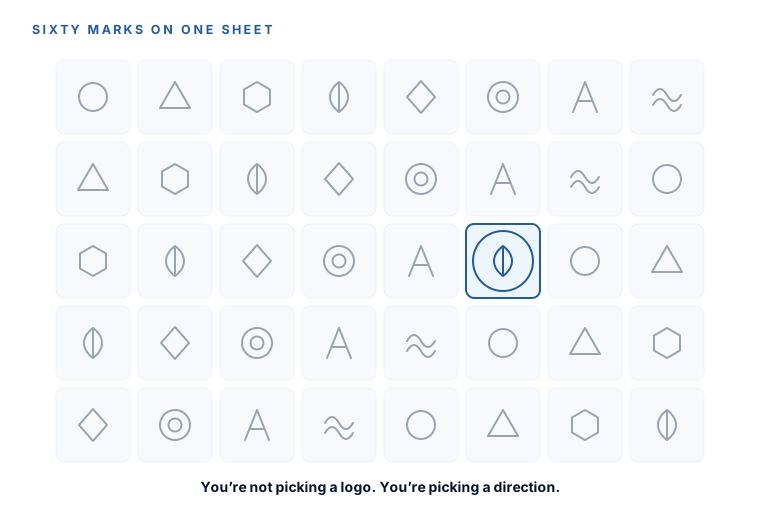
ChatGPT’s free tier is roughly 2–3 images a day — not enough for this volume step. Two honest options: grab one month of ChatGPT Plus ($20, cancel after the weekend) for about 50 images every few hours, or stay 100% free by running this exact prompt in Ideogram (ideogram.ai, ~10 prompts/day ≈ 40 images) or Google Gemini. The prompt doesn’t change — only the window does.
Pick one — and crop it tight
Scan your sheets and find the one concept that’s closest to right, even if the details are wrong. Wrong details are literally the next lesson’s job. Don’t overthink it — trust the one your eye keeps returning to.
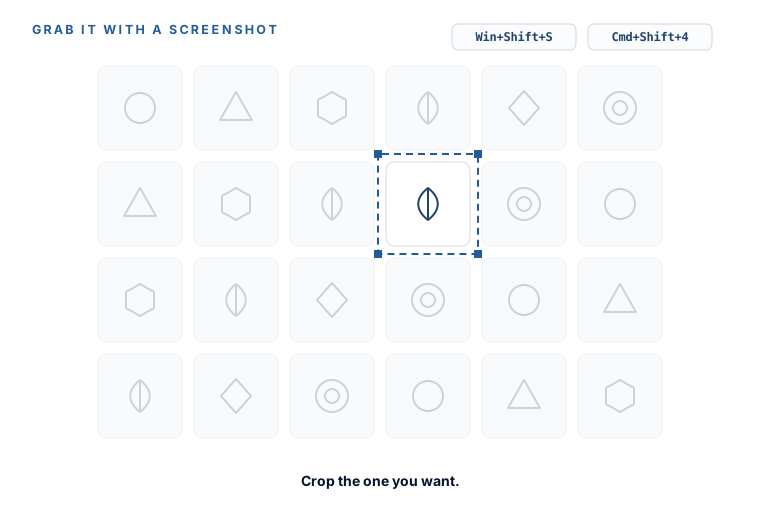
Then screenshot just that single mark, cropped tight:
- Windows: press
Win + Shift + S, drag a box around the one mark — it copies to your clipboard. - Mac: press
Cmd + Shift + 4, drag a box around the one mark — it saves to your desktop.
Cropping to the single mark (not the whole nine-grid) is what keeps the next round on-target. You’ll paste this cropped image into ChatGPT in the very next lesson.
You’ve browsed 40–60 real directions, chosen the one that’s closest, and saved a tight crop of it. That crop is your seed. Next lesson you plant it and grow it into “the one.”
Watch this step
Here's the browse-many-directions opening move on screen — generating logo concepts in ChatGPT and narrowing toward one, the exact rhythm you're about to run. It’s from an independent creator — credited below, so go give them a follow.
How to Create a Professional Logo with AI in Just 5 Minutes (Full ChatGPT Tutorial)
More learning resources
Still want another angle? These are hand-picked and vetted to line up with this lesson — from creators and sites worth your time.