
Module 4 · Colors You Can Defend
Coolors: shuffle your way to candidates
The AI gave you candidate colours. Coolors is where you turn them into a real, harmonious palette — by pressing the spacebar until something clicks. No account, no skill, no design theory. It really is this easy.
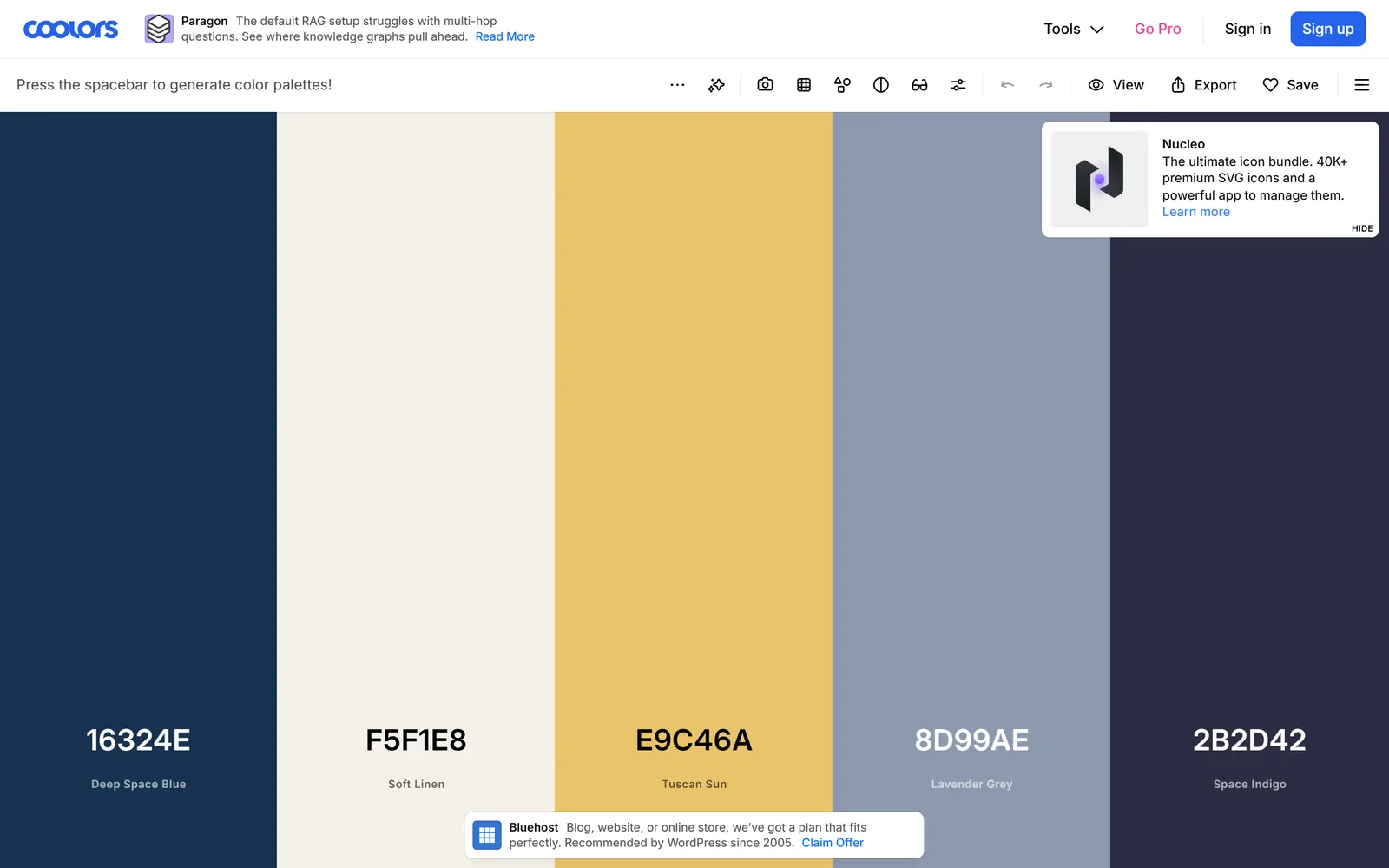
Open the generator
Go to coolors.co/generate. Five colour columns fill the screen, each with its hex code. That’s the whole tool. No sign-in needed to start.
The core loop: shuffle, then lock
This is the beginner superpower, and it’s two moves:
- Press the spacebar. Every press generates a fresh five-colour palette that’s already harmonious. Tap it a dozen times just to feel it — you’re window-shopping.
- Found one colour you love? Hover its column and click the padlock icon (or press
L). Now that colour stays put and every spacebar press reshuffles the other four to harmonise with it. Lock your main brand colour, then shuffle its supporting cast.
Take a primary hex the AI proposed last lesson and plant it here: click a column’s hex code, and in the picker paste your exact value. Lock it. Now Coolors builds a harmonious palette around your brand colour instead of from scratch. That’s the two tools working together.
Fine-tune without overthinking
- Adjust one colour: click its hex code to open the picker — drag to a new shade or paste an exact value. Coolors shows tints and shades of it right there.
- Add or remove columns: hover between two columns and click
+to add, or the✕at the top of a column to remove. The free tier goes up to five colours — plenty. - Reorder: drag a column left or right to set your visual order — primary, then accent, then your neutrals.
Stuck on a blank generator? Two ways in
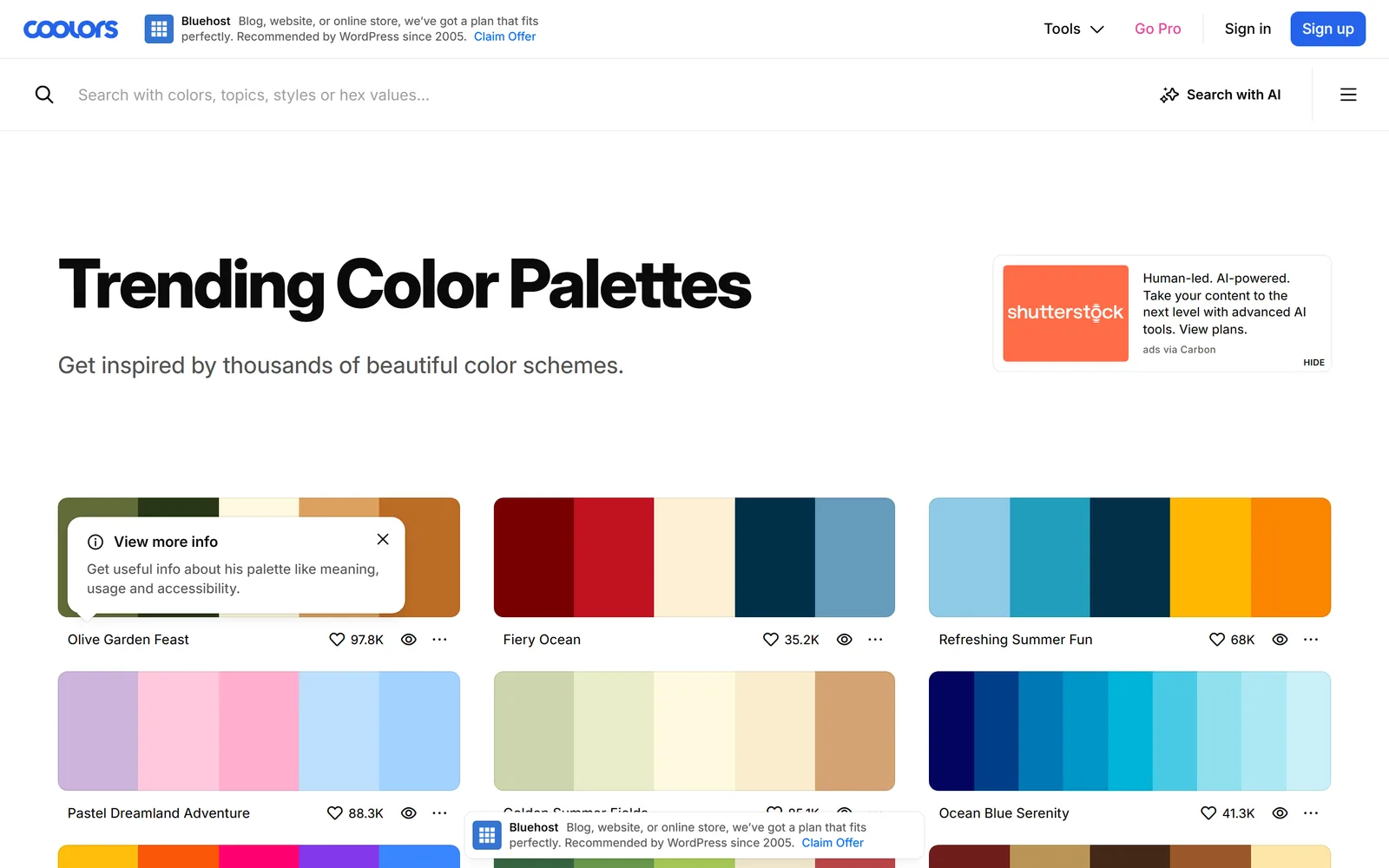
- Explore (
coolors.co/palettes) — thousands of ready-made palettes you can filter by style, colour, or topic. Find one you like, click “Open in the generator,” then lock and tweak. Great when a blank screen freezes you. - Pick colours from an image — upload a photo that captures your brand’s mood (a sunset, a workshop, a plate of food) and drag the sample dots to pull real hexes out of it. A mood photo becomes a starting palette.
Grab your hexes
When a palette feels right, click Export (or press E). The free export hands you the hex list, a PNG, and code. Copy the hex codes — those exact values are what go into your brand book and get pasted into the AI later. They’re your source of truth now.
You can save up to 10 palettes with a free account, but you don’t have to — copying the hex list into a note works just as well. Nothing you need is behind a login.
Older tutorials tell you to use Coolors’ Visualizer to see your colours on a sample website. That’s now a Pro feature (~$3/month). Skip it. The “see it in context” job is done free and better by Realtime Colorsnext lesson. (If you ever want the Visualizer and contrast checker, $3/month unlocks them — but nothing this course requires sits behind that.)
One or two candidate palettes with their exact hex codes copied somewhere safe. Harmonious, on-brand, and yours — found by pressing a spacebar. Now let’s see them on something real.
Palettes feeling muddy or samey? Lock your one favourite colour and keep shuffling — constraint makes the results better, not worse. Still stuck? Open Explore, steal a palette you like outright, and adjust one colour toward your brand. Starting from “good” beats starting from blank.
Watch this step
Prefer to watch the spacebar-and-padlock loop in action? This 2026 walkthrough takes a brand palette from shuffle to exported hexes, exactly the flow below. It’s from an independent creator — credited below, so go give them a follow.
[2026] How to Create a Brand Color Palette in Canva (Using Coolors) | Quick & Easy Tutorial
More learning resources
Still want another angle? These are hand-picked and vetted to line up with this lesson — from creators and sites worth your time.